
Tax Software for Small Business: How to Choose
Last updated:

Tax Software for Small Business: How to Choose the Right Fit
Tax software for small business helps companies prepare, review, calculate, and electronically file tax returns based on their entity structure, financial records, and filing requirements. The right solution depends less on which product has the longest feature list and more on whether it supports the forms the business needs, works with its accounting data, handles state and information returns where required, and provides an appropriate level of review and support.
For a sole proprietor with clean books and a relatively simple Schedule C, an owner-focused filing product may be sufficient. An S corporation preparing Form 1120-S, a partnership issuing multiple K-1s, or a company operating several entities may need a more structured tax environment and greater professional involvement.
That makes software selection a business-process decision rather than a simple product ranking. Before comparing providers, determine:
entity structure → required returns → accounting readiness → workflow complexity → review needs → filing responsibility
Start With the Tax Return Your Business Needs to File

The first step in selecting tax software for small business is identifying which federal returns, schedules, and information filings the company actually needs.
A product designed primarily for an individual filing a personal return may handle a sole proprietor’s Schedule C but may not be appropriate for a separate S corporation, partnership, or C corporation return.
A simplified starting point looks like this:
| Business Structure | Common Federal Filing | Software Requirement |
|---|---|---|
| Sole Proprietorship | Form 1040 + Schedule C | Individual filing with business schedules |
| Partnership | Form 1065 + Schedule K-1 | Partnership return capability |
| S Corporation | Form 1120-S + Schedule K-1 | S corporation return capability |
| C Corporation | Form 1120 | Corporate return capability |
| LLC | Depends on federal tax classification | Must support elected/assigned tax treatment |
| Business with employees | Employment tax filings | Payroll or employment-tax support/integration |
| 1099-heavy business | Information returns | Information-return workflow |
Business structure should be confirmed before comparing software because it affects both tax treatment and filing requirements. The U.S. Small Business Administration notes that a company’s structure affects its taxes, reporting requirements, and other legal obligations. That makes entity support one of the first filters when evaluating tax software.
This distinction is important because “supports small business” can mean very different things across tax software products.
A business should verify specific form coverage, rather than assume that a product labeled “business” can handle every entity type.
Three Types of Tax Software Businesses Commonly Encounter
A useful way to narrow the market is to separate tax software into three broad operating models.
| Software Model | Typical User | Best Fit |
|---|---|---|
| Owner-facing filing software | Business owner / self-employed taxpayer | Simpler filing situations |
| Business entity tax software | Business or accounting team | 1065, 1120-S, 1120 and more structured entity returns |
| Professional tax suite | CPA, accounting firm or tax department | Multiple clients/entities, reviewer workflows, higher volume |
The differences go beyond forms.
Owner-facing software generally emphasizes guided questions and ease of filing. Business entity software needs stronger support for corporate or partnership returns, depreciation, shareholder or partner information, and related schedules. Professional tax environments are designed around preparers and reviewers processing larger volumes of returns.
This is why comparing all tax products in one “best tax software” ranking is misleading. A self-employed consultant filing one Schedule C and an accounting firm preparing 200 business returns are solving fundamentally different problems.
What to Evaluate When Choosing Tax Software for Small Business
Once the required return types are clear, buyers can compare software across the operating requirements that actually affect tax preparation.
Entity and Form Coverage
Confirm support for every return the business expects to file, including federal and relevant state filings. An S corporation, for example, should verify 1120-S support and the related shareholder schedules rather than relying on a general claim that the software handles “business taxes.”
Accounting Data Integration
Tax preparation starts with accounting information. Evaluate whether data can move cleanly from the company’s accounting system into the tax workflow and how mappings, adjustments, and imports are handled.
The more manual re-entry required, the greater the opportunity for inconsistent data and additional review.
Multi-State Requirements
A company operating or creating tax obligations in several states may require significantly more functionality than a single-state business. Review state-return availability, apportionment requirements where applicable, and any additional fees or workflow constraints.
Depreciation and Fixed Assets
Companies with material property, equipment, vehicles, or other depreciable assets should understand how the software handles fixed-asset records, depreciation methods, disposals, and supporting schedules.
Review and Diagnostics
Useful software should make it easier to identify missing information, potential inconsistencies, and unresolved items before filing.
The level of review required also depends on the business. A simple owner-prepared return and a return being prepared for Controller or CPA review need different workflows.
Electronic Filing
Verify whether the software supports the relevant IRS e-file program and the specific return types involved.
IRS rules also mean electronic filing requirements can become important as filing volume increases. Businesses generally must electronically file covered tax and information returns when they file 10 or more returns of any type during the calendar year, subject to the applicable rules and exceptions.
A Tax Software Selection Matrix
Instead of asking which product is “best,” determine which capabilities are essential for the business.
| Requirement | Priority |
|---|---|
| Required federal forms | Essential |
| Required state returns | Essential |
| Electronic filing | Essential |
| Accounting data import | High |
| Depreciation schedules | Depends on asset base |
| K-1 preparation | Essential for relevant entities |
| Multi-entity capability | High for groups |
| Reviewer workflow | High when Finance/CPA reviews |
| Diagnostics and validation | High |
| Payroll/information-return integration | Depends on scope |
| User permissions | High for team environments |
| Audit trail | High for controlled workflows |
| Data security | Essential |
| Technical support | Depends on internal expertise |
This approach also makes comparisons easier because buyers can eliminate software that fails a mandatory requirement before spending time comparing secondary features.
The right tax software for small business should fit the tax workflow the company actually has today while providing enough flexibility for foreseeable changes in entity structure, filing volume, or review complexity.
Data Integration Matters More Than a Long Feature List
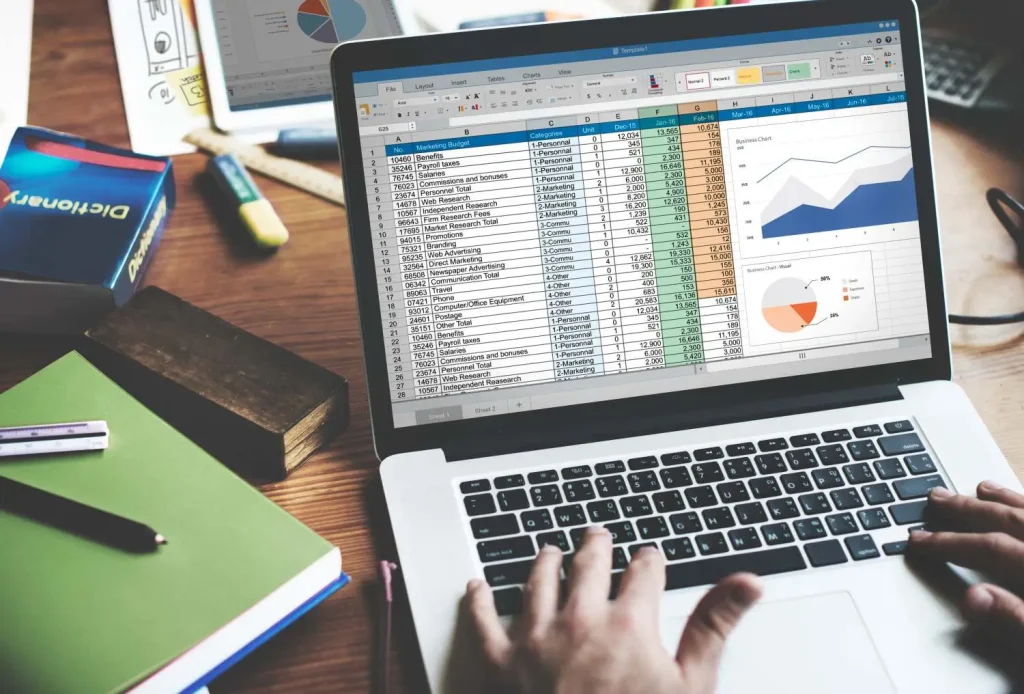
Tax returns are downstream outputs.
Effective tax software for small business should reduce the amount of manual movement between accounting records and tax preparation rather than creating another disconnected data-entry layer.
Before a tax return can be prepared, a business may need accurate:
- General Ledger balances
- Bank reconciliations
- Accounts Payable
- Accounts Receivable
- Payroll records
- Fixed-asset schedules
- Owner/shareholder information
- Prior-year returns
- Tax workpapers
- Supporting documents
If those records are incomplete, even sophisticated tax software for small business cannot automatically produce a reliable return.
Consider an S corporation whose year-end books still contain unreconciled bank accounts, outdated fixed-asset records, and unresolved shareholder transactions. Importing that trial balance faster only moves those problems into the tax workflow more quickly.
The more useful sequence is:
clean accounting data → tax workpapers → return preparation → review → filing
Businesses should therefore evaluate the tax product together with the accounting process feeding it.
When DIY Tax Software Can Be Enough
Software-led filing can work well when the underlying tax situation is relatively straightforward and the person preparing the return understands the information being entered.
A business may be a reasonable candidate when it has:
- One relatively simple entity
- Clean and reconciled books
- Limited state complexity
- Few unusual transactions
- Straightforward fixed assets
- Complete tax documents
- Clear prior-year information
- Enough internal time to prepare and review the return
In those circumstances, tax software can reduce manual calculation, organize required schedules, run basic validations, and support electronic filing efficiently.
However, ease of data entry should not be confused with simplicity of tax treatment. A software interface can make entering a transaction easy even when determining the correct treatment requires professional judgment.
When Tax Software Stops Being the Main Constraint
As businesses grow, the bottleneck often shifts away from software.
The company may already own capable software but still struggle to prepare returns because the underlying Finance team lacks time to complete reconciliations, collect documents, prepare workpapers, or resolve accounting exceptions before filing deadlines.
| Problem | Better Software May Help | Additional Accounting / Tax Capacity May Help |
|---|---|---|
| Manual calculations | ✓ | |
| Filing interface | ✓ | |
| Missing source documents | Partly | ✓ |
| Unreconciled books | ✓ | |
| Large preparation workload | Partly | ✓ |
| Complex accounting adjustments | ✓ | |
| Multiple return workpapers | Partly | ✓ |
| Seasonal capacity spike | ✓ | |
| Tax judgment | ✓ | |
| Reviewer bottleneck | Partly | ✓ |
This distinction is important when evaluating tax software for small business.
A company does not necessarily need another application when the actual constraint is people, accounting readiness, review capacity, or workflow ownership.
For businesses facing that problem, see how outsourced tax preparation for small businesses can add preparation capacity while the business or its professional adviser retains material tax decisions and final review.
Tax Software and Professional Tax Support Solve Different Problems
Tax software provides infrastructure.
Tax professionals provide judgment and capacity.
Software can help:
- calculate tax,
- populate forms,
- run validations,
- manage e-filing,
- organize schedules,
- carry forward prior-year information.
A qualified professional may be needed to interpret:
- complex tax positions,
- entity elections,
- shareholder or partner issues,
- unusual transactions,
- restructuring,
- multi-jurisdiction questions,
- material book-to-tax differences.
Many businesses therefore use both.
The accounting team maintains the books, software supports return preparation, and a CPA or tax adviser reviews material decisions and final output. For higher-volume environments, an external preparation team may also sit between the accounting records and senior reviewer.
The most effective model depends on which layer is creating the constraint.
Security and Access Matter More as the Team Grows

A sole owner preparing one return has very different access requirements from a company where internal accountants, external preparers, and a CPA all interact with the same tax workflow.
When multiple users are involved, tax software for small business should support access controls that reflect each person’s role rather than giving every preparer the same permissions.
When multiple people are involved, evaluate whether the software supports appropriate controls around:
- Individual user accounts
- Role-based permissions
- Multi-factor authentication
- Access logging
- Document sharing
- Data export
- User removal
- Backup and retention
- Secure transmission
Multi-factor authentication is especially important when tax systems contain sensitive financial and personally identifiable information. NIST’s Small Business Cybersecurity guidance recommends MFA as an additional layer of protection because passwords alone are not sufficient for securing sensitive business assets.
Tax records can contain sensitive financial and personally identifiable information, so software selection should include security and workflow governance rather than treating security as a checkbox at the end of procurement.
For businesses working with an external tax preparer, access responsibilities should also be documented clearly: which information the preparer can view, what can be downloaded, who approves changes, and when access is removed.
Tax Software Should Fit the Filing Calendar
Tax software cannot compensate for poor preparation timing.
Different entity types have different filing deadlines, and extensions change the schedule again. Businesses should work backward from the applicable deadline to establish internal cutoffs for the accounting close, document collection, workpaper preparation, review, and final submission.
A practical timeline could be:
Accounting cutoff
↓
Reconciliations complete
↓
Tax documents collected
↓
Workpapers prepared
↓
Draft return
↓
Reviewer comments
↓
Final approval
↓
Electronic filing
The software supports several of these stages, but it does not own the entire workflow.
Businesses planning their tax cycle should review current business tax filing deadlines rather than relying on dates embedded in old software comparisons or prior-year articles.
How to Compare Tax Software Without Relying on Rankings
Generic rankings such as “best overall,” “best for students,” or “best free option” provide limited value for a business buyer.
A better comparison begins with a requirements sheet.
For each candidate, document:
| Area | What to Confirm |
|---|---|
| Entity support | Required federal return |
| State support | Required jurisdictions |
| E-file | Supported return types |
| Accounting integration | Import/mapping workflow |
| Fixed assets | Depreciation capability |
| K-1s | Preparation and distribution workflow |
| Diagnostics | Error and missing-data checks |
| Users | Number and permission levels |
| Review | Reviewer workflow |
| Security | Authentication and data controls |
| Support | Availability and expertise |
| Pricing | Full cost for required forms/states/users |
| Scalability | Ability to handle additional entities |
This also reduces the risk of choosing a product because it performs strongly for a completely different customer segment.
A good tax software for small business evaluation asks whether the product fits the company’s return and operating process, rather than whether it is the most popular filing application overall.
Free or Low-Cost Software Is Not Always the Lowest-Cost Option
Software price is easy to compare because it appears on a pricing page.
Internal preparation cost is less visible.
Suppose one product costs $300 less but requires the Finance Manager to spend another 12 hours manually moving data, resolving imports, and rebuilding schedules. If that manager’s time is valuable elsewhere, the cheaper software may create the higher total cost.
Businesses should therefore consider:
software fees + state returns + additional users + integrations + internal preparation time + review effort + external professional support
This approach is particularly important for entity returns because the cost of preparing clean accounting information can exceed the license price of the filing application itself.
Tax Deductions Still Depend on the Accounting Record
Many tax products advertise deduction guidance, but software can only evaluate the information entered into it.
If valid business expenses are missing from the books or classified incorrectly, software may not have enough information to apply the correct tax workflow.
Companies should maintain clear records for categories such as operating expenses, business travel, eligible equipment, professional services, and other potentially deductible costs.
For an overview of common categories rather than software-specific prompts, see small business tax deductions.
The important point is that tax software for small business sits on top of the accounting records. It does not replace them.
When External Tax Preparation Becomes More Practical
A business may eventually reach a point where software remains useful but self-preparation no longer makes operational sense.
Common signals include:
- Multiple entities
- Growing state complexity
- Recurring preparation overtime
- Large workpaper volume
- Frequent accounting cleanup before filing
- Heavy dependence on one internal employee
- Increasing reviewer workload
- Seasonal tax preparation spikes
- More complex shareholder or partner information
At that stage, the business does not necessarily need to abandon its existing tax technology. An external preparation team can often work within an approved tax and accounting environment while internal Finance or the company’s CPA retains material judgment and final review.
That distinction allows software and outsourcing to complement each other rather than treating them as competing choices.
A Practical Tax Technology Decision Framework
For most businesses, the decision can be reduced to three questions.
Before replacing tax software for small business, determine whether the real constraint is the technology itself, the accounting data feeding it, or the capacity available to prepare and review the return.
Is the Current Software the Problem?
If required forms are missing, integrations are poor, or filing workflows are unnecessarily manual, changing software may create substantial value.
Is the Accounting Data the Problem?
If books are unreconciled or supporting information is incomplete, improve the accounting process before expecting a new tax system to solve the issue.
Is Capacity the Problem?
If the software and accounting records are adequate but preparation and review still consume excessive internal time, additional tax or accounting capacity may be the stronger solution.
This framework keeps technology decisions connected to the underlying operating problem.
Where Innovature Fits in the Tax Workflow
Innovature does not need to replace a company’s chosen tax software for small business to support the tax preparation process.
Depending on the engagement, Finance & Accounting teams can support upstream and preparation activities such as:
- Bookkeeping
- Account reconciliations
- General Accounting
- Supporting schedules
- Tax workpaper preparation
- Document organization
- Tax preparation support
- Reporting
The business, CPA, or designated tax adviser can retain tax strategy, material tax judgments, final review, and filing responsibility according to the agreed operating model.
This is particularly useful when the real bottleneck occurs before tax software is used. If the accounting records are incomplete, reconciliations are late, or source documents are scattered across several systems, improving those inputs can have more impact than changing the filing application.
Businesses evaluating broader accounting and tax capacity can explore Innovature Finance & Accounting Outsourcing Services.
Tax Software for Small Business Review Checklist

Before selecting or replacing software, confirm that the business can answer each of the following:
| Area | Decision |
|---|---|
| Entity | Which tax classification applies? |
| Returns | Which federal forms are required? |
| States | Which state returns are needed? |
| E-file | Can required returns be filed electronically? |
| Accounting | How will financial data enter the system? |
| Fixed assets | Is depreciation support sufficient? |
| Information returns | Are 1099 or other workflows required? |
| Review | Who reviews the return? |
| Judgment | Which decisions require CPA/tax expertise? |
| Security | Who can access taxpayer information? |
| Capacity | Who prepares the underlying schedules? |
| Deadline | When must the books be tax-ready? |
| Cost | What is the full workflow cost? |
| Growth | Will the system support additional entities or filings? |
The best tax software for small business is therefore not automatically the product with the most features, the lowest filing fee, or the strongest consumer reviews. It is the one that supports the company’s actual entity structure, filing requirements, accounting data, review process, and level of internal tax capability.
When those requirements exceed what an owner-led filing workflow can reasonably manage, the next step may involve more specialized software, professional tax review, additional preparation capacity, or a combination of all three.


Finance leaders are under pressure to strengthen controls, close faster, improve data quality, and support business decisions without…

Vendor master data controls govern how supplier records are created, verified, approved, changed, and deactivated before they are…

Accounts receivable aging analysis helps finance teams evaluate unpaid customer invoices, identify overdue exposure, and decide which balances…
Finance outsourcing governance is a framework that defines roles, decision rights, internal controls, and provider oversight when finance…
Selecting a finance outsourcing provider does not make a finance process ready to move. Before operational ownership changes…

PayrollOrg’s 2025 survey found that 38% of organizations do not track payroll performance, showing that payroll oversight remains…
Payroll accuracy often breaks down before payment is even made. PayrollOrg’s 2025 global survey identified poor-quality input data,…
Intercompany balances become harder to control as businesses add legal entities, currencies, systems, and cross-border transactions. A single…

An accounting quality control checklist helps Controllers and Finance Managers verify whether bookkeeping data is accurate, supported, and…

Month-end close often becomes harder as growing companies process more invoices, payments, reconciliations, and reporting requirements. Without a…

Accounts payable journal entries record what a business owes suppliers and how those obligations change over time. A…

Financial statements analysis is the process of examining a company’s income statement, balance sheet, and cash flow statement…
Ready to move faster?
Trust us to find the best-fit candidates while you concentrate on building a skilled and diverse remote team.